How to use SSL/TLS certificates on a Netgear M4200/4300 switch
If you operate a Netgear switch in an environment that is subject to compliance requirements such as PCI or HIPAA, you are probably doing vulnerability scans, and the HTTP management interface of your switches will generate medium vulnerabilities (at least from Nessus):
SSL Self-Signed CertificateSSL Certificate Cannot Be Trusted* SSL Certificate Expiry
It IS possible to use signed certificates to secure the HTTPS interface on a Netgear switch, but the process to do so is insanely obscure. I do not know how someone had time to figure this out! Apparently, even Netgear tech support didn’t have any idea.
Another Reason to Enable Private IP Addresses on Google Cloud SQL
Google Cloud SQL recently introduced the capability for an instance to have an IP address within the private address space of your VPC network. Previously, all Cloud SQL instances had IP addresses within the address space of the public Internet. Obviously, the public IP was a security and privacy concern, as well as a potential violation of some compliance and governance frameworks. Now, each instance may have a public IP, private IP, or both. There’s another potential benefit to using a private IP address: performance!
Updating to Wordpress 5 on a Linux Host: Requesting FTP Credentials
Wordpress 5 didn’t install automatically on sites hosted on my CentOS 7 Wordpress hosting server. That’s by design, because I’m selfish and I’d rather wait for a few bug-fix releases before making a major upgrade. When I chose to upgrade manually on a test site, Wordpress asked for my FTP credentials:
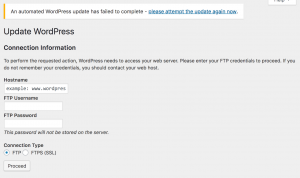
Connection Information: FTP credentials
If you’re hosting Wordpress on your own server, it does not need FTP credentials. This page is a symptom of a permissions issue with the underlying server. The web server (typically Apache) is unable to write the updated files to the Wordpress directory. From a security standpoint, this is actually a good thing. You generally don’t want to allow a public-facing service to make changes on your server. This problem occurs in other situations, such as configuring the WordFence plugin, so I’ve written a page devoted to troubleshooting Wordpress permissions on Linux hosts. That page describes how to fix the permissions issue without compromising the general security of your Wordpress host.
Optimize the Wordfence Firewall: Needs FTP Credentials
I use Wordfence as a Wordpress security solution. Even the free version has a comprehensive set of features, and the premium version is even better. It’s very easy to install and configure Wordfence as a regular plugin. However, the step to “Optimize the Wordfence firewall” fails for many people. This is not the fault of Wordfence, since different steps may be required depending on how your web server is configured. My solution is for those who are hosting their own Wordpress, but may be helpful to other situations. Please note that these instructions affect the security of your system, and are aimed at users with intermediate to advanced Linux knowledge.
Protecting a RESTful JSON API from a CSRF attack
“Cross-Site Request Forgery (CSRF) is an attack that forces an end user to execute unwanted actions on a web application in which they’re currently authenticated” (OWASP definition)
CSRF is related to Cross-Site Scripting (XSS), but does not require the execution of Javascript or any other front-end code. In fact, APIs are increasingly vulnerable to CSRF attacks due to the emergence of single-page web applications. A single-page web application is a Javascript “client” application that executes in the user’s browser. The client application interchanges data with the server via API calls. There are many advantages to this architecture, but it does increase the attack surface for CSRF attacks. When the user authenticates, they receive a unique token with a limited lifetime, which is usually stored as a cookie. The token is passed to the server as a header on every API call, and the server may return a new token with an updated expiration time with every response.
Upgrade Ubiquiti UniFi Access Points (WAP) now to avoid KrackAttack
On October 15, 2017, security researcher Mathy Vanhoef announced the discovery of KrackAttacks, a serious flaw in the WPA2 encryption protocol that encrypts most WiFi connections. Using this method, an attacker can decrypt traffic from almost any wireless access point (WAP) and clients. Every WiFi access point will need to be upgraded with patch that prevents this attack. Ubiquiti has already released a patch for UniFi access points that addresses this vulnerability. However, the upgrade process may not be straightforward, depending on the age of your access points. The following process will ensure that you are running a safe version of the firmware (3.9.3.7537 or later). Note that any upgrade will result in downtime for each access point as it is upgraded, so you will want to perform a rolling upgrade if you have multiple devices that will be upgraded while people are using them.