Configure CentOS/RedHat VMs with Kickstart files on Virtualbox
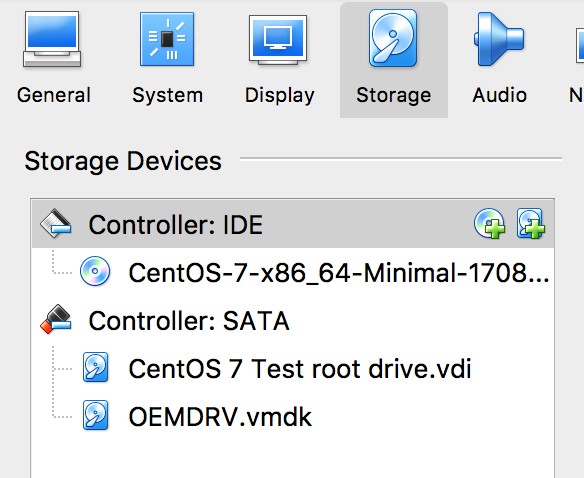
Kickstart is a type of file that’s used to automatically install RedHat or CentOS Linux on a physical or virtual server. If you are managing more than a few servers, it’s a good idea to configure the servers via kickstart files instead of logging in and configuring each one manually. However, some unfortunate choices were made when defining the Kickstart file format, and it’s not the easiest thing to use. When creating a new Kickstart or making major changes, it’s good to have way to quickly iterate and test your changes. Iterating on a Kickstart file is slow and inconvenient in an enterprise environment in which a freshly booted server obtains an image and Kickstarter file via PXEboot. To speed up Kickstart testing and debugging, I’ve developed a simple way to use Kickstart files with CentOS/RedHat guest virtual machines that run in VirtualBox on my Mac. This process should also work with Windows or Linux hosts. When the RedHat installer is booting, it looks for a file called ks.cfg on a volume with label OEMDRV. First, we will create this volume as a small virtual disk image. On a Mac, you can create this image with Disk Utility as shown below. Note that the Name needs to be OEMDRV (though you can make the filename anything you want). Create OEMDRV disk image OSX Disk Utility VirtualBox add OEMDRV volume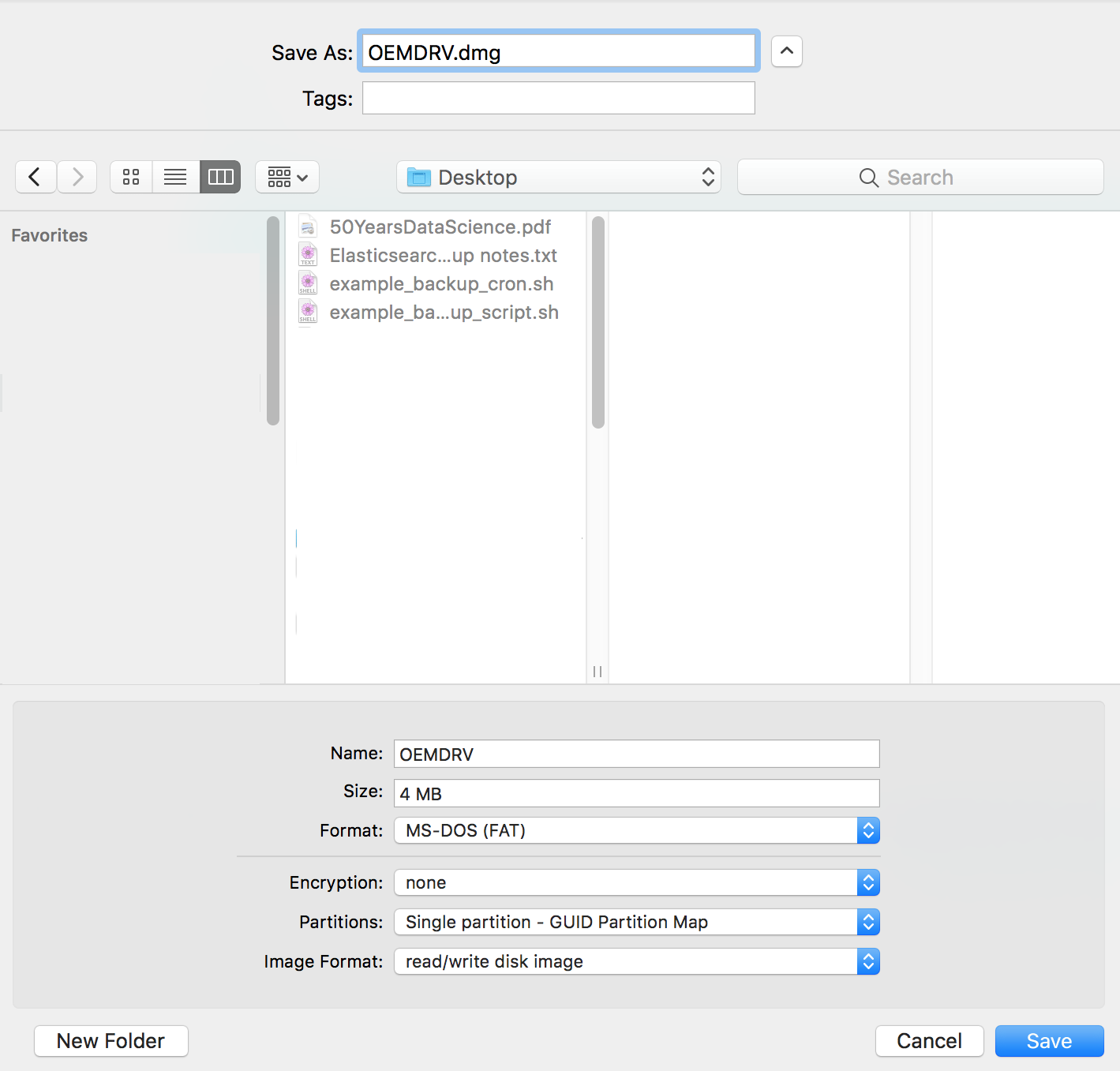
Windows or Linux Virtual Hosts
On a Windows host, first create a virtual drive and then map it to a virtual VMDK drive. On a Linux host, create a virtual volume and then adapt the VBoxManage command to reflect the paths and file names on your system.
More Complicated Methods for using Kickstart with VirtualBox
Several people have come up with more complex systems involving sharing the Kickstart file via NFS or HTTP and using PXEboot. For example, this detailed article starts by creating another virtual machine that serves as an NFS and HTTP server. That’s a good idea if you want to create a virtual prototype of an enterprise environment, but too involved if you just want to test Kickstart files. This clever but complex Gist sets up PXEboot using Virtualbox’s built-in TFTP server.